Terms and Definitions
OS ROM(s): The Gauntlet hardware is a derivative of the Atari “System 1” hardware. System 1 hardware had a set of base hardware with the CPU, some RAM, and a basic “operating system”, that exists at 0x000000 in the CPU’s address space. Gauntlet has a ROM layout that mirrors this, with a generic “OS” ROM at 0x000000.
Game ROM(s): The actual game code, outside of the OS ROMs. In Gauntlet, these are mapped at 0x40000 – 0x5ffff. The vast majority of the code the game executes is in these ROMs.
Main RAM: Generic memory used by the main CPU for various function. This RAM is not shared with any other hardware. In Gauntlet, this RAM is mapped to 0x800000 – 0x801ffff (the schematic calls this “Spare RAM”)
Video RAM: Memory shared with the video hardware, which is used to communicate with the various custom graphics chips. In Gauntlet, video RAM is from 0x900000 to 0x905fff.
Color RAM: Memory shared with the output rendering hardware, used to hold color palettes, which are used to render the colors you see on the screen. Color RAM on Gauntlet is mapped between 0x910000 – 0x9107ff
Slapstic / Slapstic ROM: Access to ROM in a certain range (0x38000 – 0x3ffff) is gated through a custom chip called the SLAPSTIC, which serves as the copy protection for the game. This address space is referenced in several places as “Slapstic ROM”.
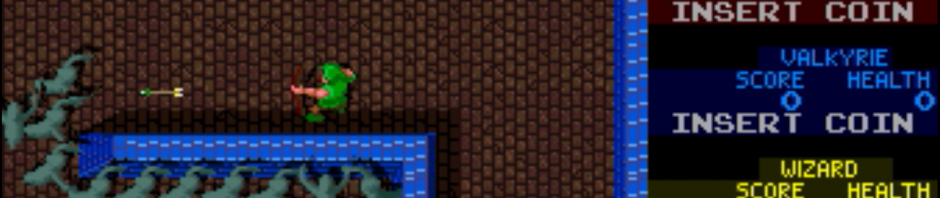
Playfield: The playfield for Gauntlet is 512×512 pixels, of which (very) roughly half is visible at any given time. The playfield is made up of 32×32 stamps, where each stamp is 2×2 tiles, where each tile is 8×8 pixels.
Tile: The smallest logical unit that the graphics hardware works with. Each tile that can be displayed has a tile number (referenced in the self test as “picture number”) that references an 8×8 pixel graphic in memory. These tiles are 4 bits deep, giving any single tile a total palette of 16 possible colors.
Stamp: A 2 tile by 2 tile chunk of the playfield. In general, this is the smallest unit the software attempts to work with. Each floor tile section or wall section is a single stamp.
MOB: “Motion Object”. Many systems call these sprites. Each MOB graphically consists of 1 or more tiles. The hardware can support and draw MOBs of up to 8×8 tiles (64 pixels by 64 pixels), and each mob can have its own palette (out of 16). Gauntlet supports up to 1024 simultaneous MOBs in hardware.
MOB id: Many places in the code reference a ‘MOB id’, which is just a number between 0 and 1023, which maps directly to the hardware’s underlying numbering of motion objects. Everything on screen (other than alphanumeric text overlays) has a MOB id.
MOB offset (or MOB id offset): MOB ids are 16-bit numbers, so take a word to store. This means that arrays of MOB ids have each element separated by 2 bytes. This is handled automatically in C, but in assembly you have to know the underlying offsets — and internally, Gauntlet works with the offsets (rather than the ids) frequently. It’s important to know what you’re working with at any given time, and not confuse MOB ids with MOB id offsets. The formula for converting back and forth is: mob id offset = (mob id * 2)
hardware form: a number of values need to be shifted before they can be written to hardware — for example, the horizontal location of a MOB is an integer between 0 and 511, but that value is written to the video hardware in bits 15-7 of the MOB’s horizontal position register, thus giving a horizontal position of 25 (0x19) an in-memory value of 0xC80 (0x19 << 7). For various reasons, the software sometimes works with these values using the shifted-for-hardware version of the values, rather than the more human-readable values, and in these cases we refer to the values as being in "hardware form" fixed MOB id: For the most part, MOB ids are directly related to where a mob is on the playfield. The first 32 MOB ids are reserved for specific things, though -- generally, shots and effects. I reference these as 'fixed' MOB ids, since they're referenced directly in the code (rather than being computed by location) Maze Object Id: Each object in the maze has a 6-bit object id that identifies what it is. player (id): Player number, 0-3. This is which joystick/color someone is playing. In order, the colors are red, blue, yellow, and green. character (id): Character number, 0-3. This is the character being played by someone. In order, the characters are warrior, valkyrie, wizard, and elf.